Service Design - BluePrint
- Suganya Arun
- Mar 25, 2025
- 3 min read

Updated: Apr 7, 2025
Service Design
Holistically designing not only what is made, but how it’s made.
What is Service Blueprint
A diagram that visualises the relationships between different service components that are directly tied to touch-points in a specific customer journey.
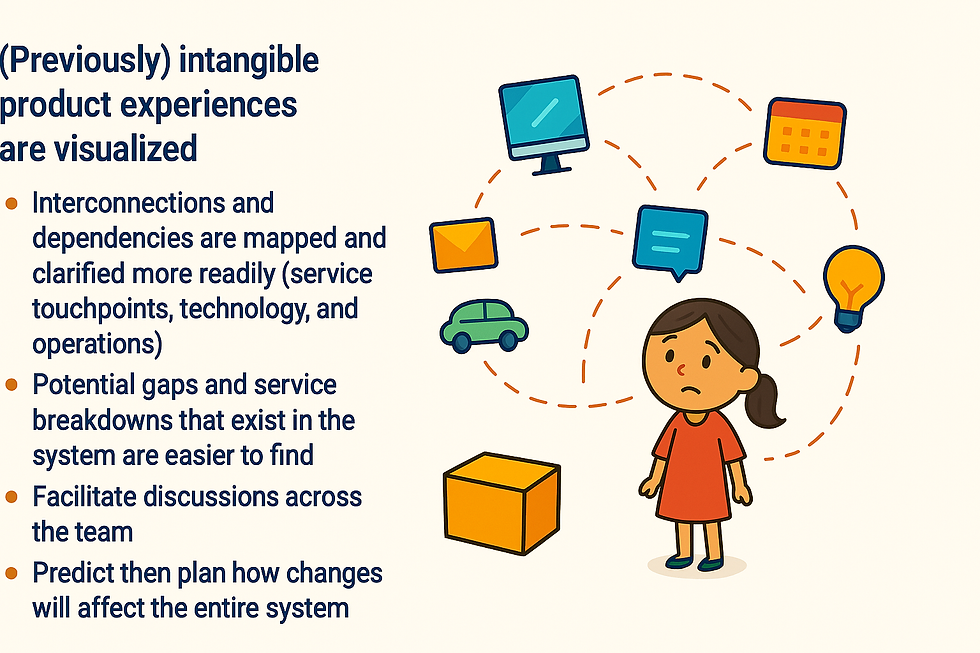
Benefits of blueprinting
Other types of maps, and difference
Technical Maps | Any kind of map (database, information, API) that shows how the different pieces of the system relate | Isolates fail points and their effects |
BPMN(Business Process Modelling Notation) | Represents the interactions between a private business process and another process or participant. | |
Customer Journey Map | Visualises the experience of an individual as a customer of a service or user of product. | Serves as the starting point for a service blueprint and Customer journey Maps are part of Service Blueprints |
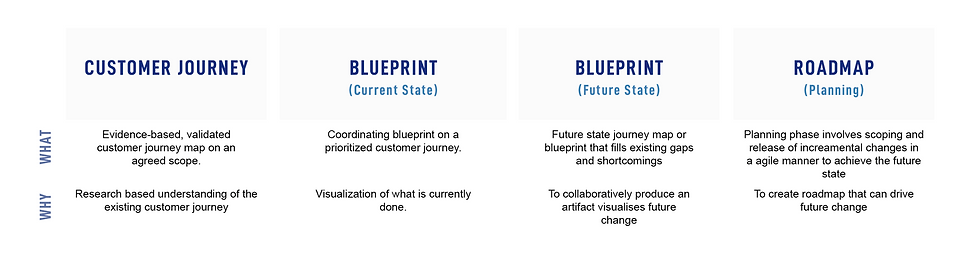
Mapping Order
Elements of Service Blueprint
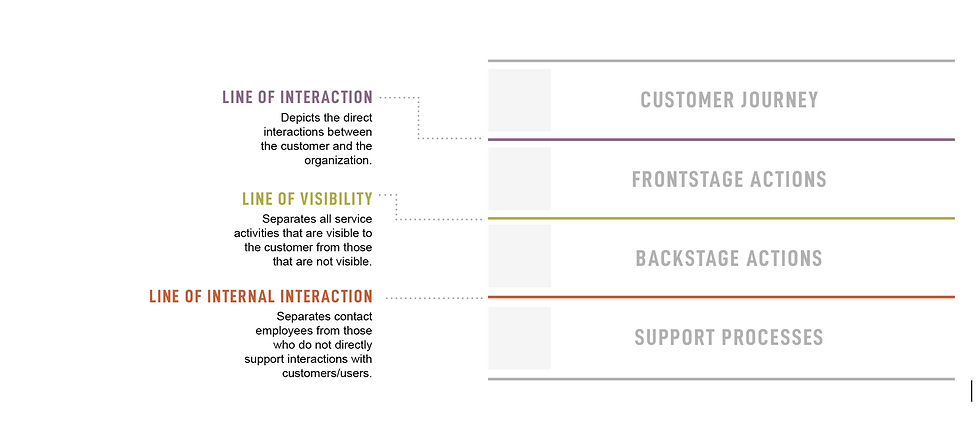
Swim-lane | Line of visibility, Line of Interactions and Line of Internal Interaction. |
Customer Actions | Steps, choices, activities, and interactions that customer performs while interacting with a service to reach a particular goal. Customer actions are derived from research or a customer-journey map. Customer actions always make up the top swim lane. This. helps keeps the focus on what we’re asking customers to do and how their experiences will unfold across time. |
Frontstage Actions | Actions that occur directly in view of the customer. These actions can be human-to-human or human-to-computer actions. |
Backstage Actions | Steps and activities that occur behind the scenes to support front-stage actions. It’s important to label each action with the actor performing the task. |
Support Processes | Internal steps and interactions that enables backstage actions. Steps that supports the delivery of service. This element includes anything that must occur for Frontstage and Backstage actions to take place. Support process can sometimes be carried out by 3rd party partner or a technical platform. |
Swim-lane lines
Secondary Elements of Service Blueprint
Evidence | Props and places that are encountered along the customer’s service journey Any forms, products, signage, or physical locations used by or seen by the customer or internal employees should be represented here. |
Time | Time provides a better understanding of the service. Time also helps highlight pain-points or opportunity areas. |
Regulations | Any given policies or regulations that dictate how a process is completed (privacy regulations, security policies, data policies etc.) Allows us to understand what can and cannot be changed as we optimise. |
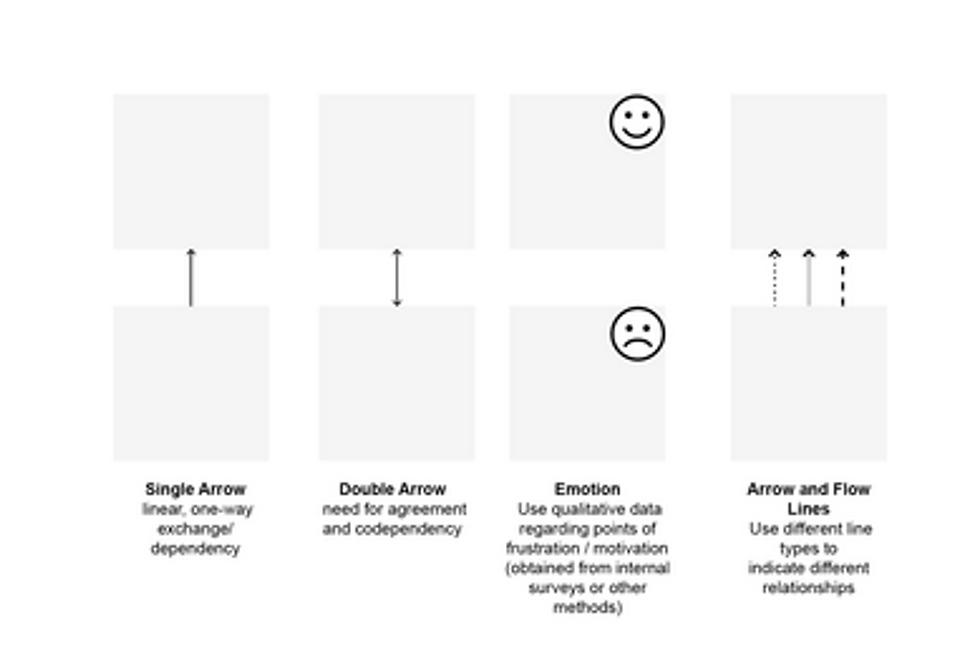
Showing Relationship
Building a Blueprint
Steps | Key Activities | Outputs |
1.Research | Gather existing research across departments. Interview various roles throughout organisation. | Comprehensive inventory of touch-points and insights across internal sources. |
2. Key Elements | Fill out the customer action swim lane first. From there, build your other swim lanes downward. | Service blueprint with a first pass of content. |
3. Add Layers | Add in secondary elements like time, metrics, pain points. Call attention to unknowns. | Detailed service blueprint with complexity. |
4. Refine and Distribute | Refine and digitize. Call out opportunity areas and metrics. | Polished, high-fidelity service blueprint with opportunities and metrics. |
Levels of Fidelity
Collaborative Sticky Notes (Level 1) | Used in the early stages; cheap and democratic. Easy to move around and easy to refine your initial understanding of a service. | Tools recommended: Miro [Template to be created Suganya Arun ] |
Digital Spread sheets (Level 2) | Good first step to digitise. Remote teams can use spreadsheets to capture and asynchronously build different elements of the blueprint without requiring special tools. Fine-tune of the language and labels of each blueprint element. | |
Polished Artifacts (Level 3) | Visualising the output into something that can be circulated and version Shoot for clarity over “pretty” visuals, color code each row, add descriptors when necessary. | Tools recommended: Sketch, Illustrator. |
General Tips:
Remember to plot the action, not the actor.
Target 8–12 customer actions as part of the customer-journey section of the blueprint. Create consistent criteria for comparing scopes for different potential blueprints. Example criteria: The scope covers an issue that is discovered in more than 40% of the user interviews.
When multiple customers are involved, highlight the customer name in your customer actions.


Comments